Microsoft Word
Export an editable document when more revisions or collaboration are needed.
WORD DOCUMENTTHE FEATURES / DOC MERGE STUDIO
Bring the details, the template, and the finished document into one focused workspace. Doc Merge Studio helps you turn repetitive writing tasks into a consistent, repeatable process.
Explore the featuresTHE ACTUAL APP
Explore real Doc Merge Studio screenshots in your preferred appearance.
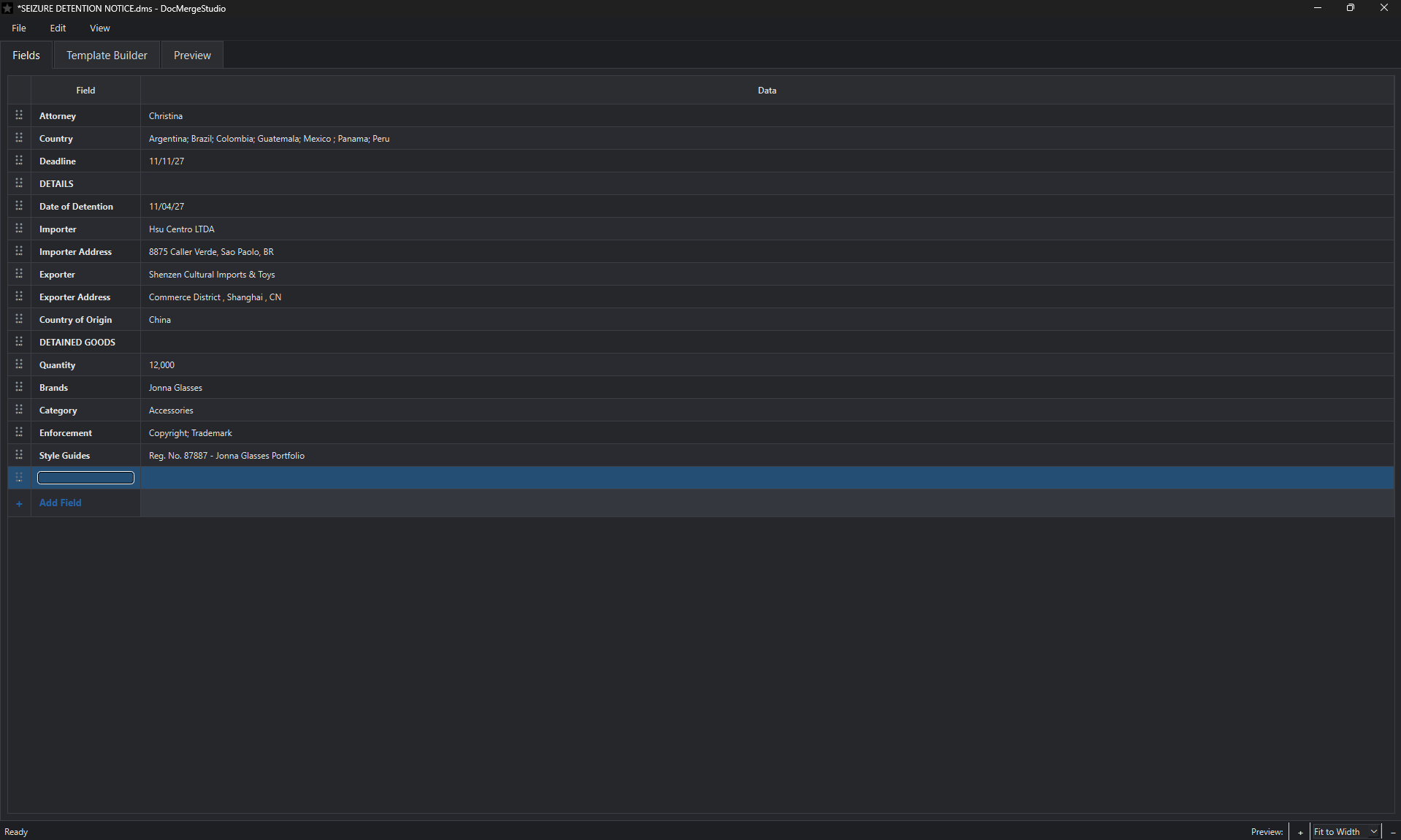
01 / SMART FIELDS
Create the fields your workflow calls for—names, dates, companies, quantities, and anything else you use repeatedly.
For example: choose a country or matter type from a list instead of typing it out each time.
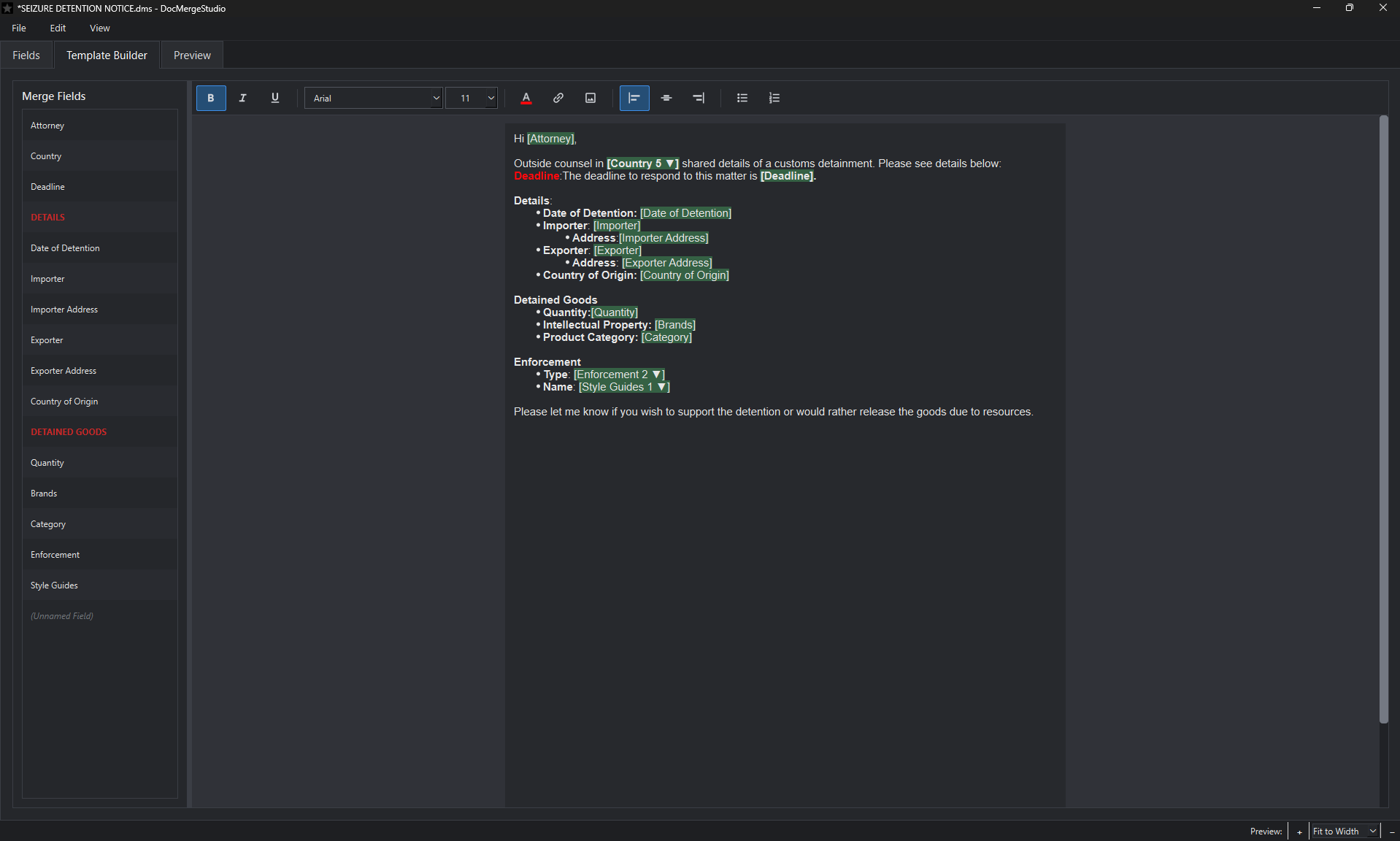
02 / REUSABLE TEMPLATES
Build professional templates with the language and formatting you already use. Insert placeholders where changing details belong.
Ideal for recurring notices, internal updates, client emails, and standard business communications.
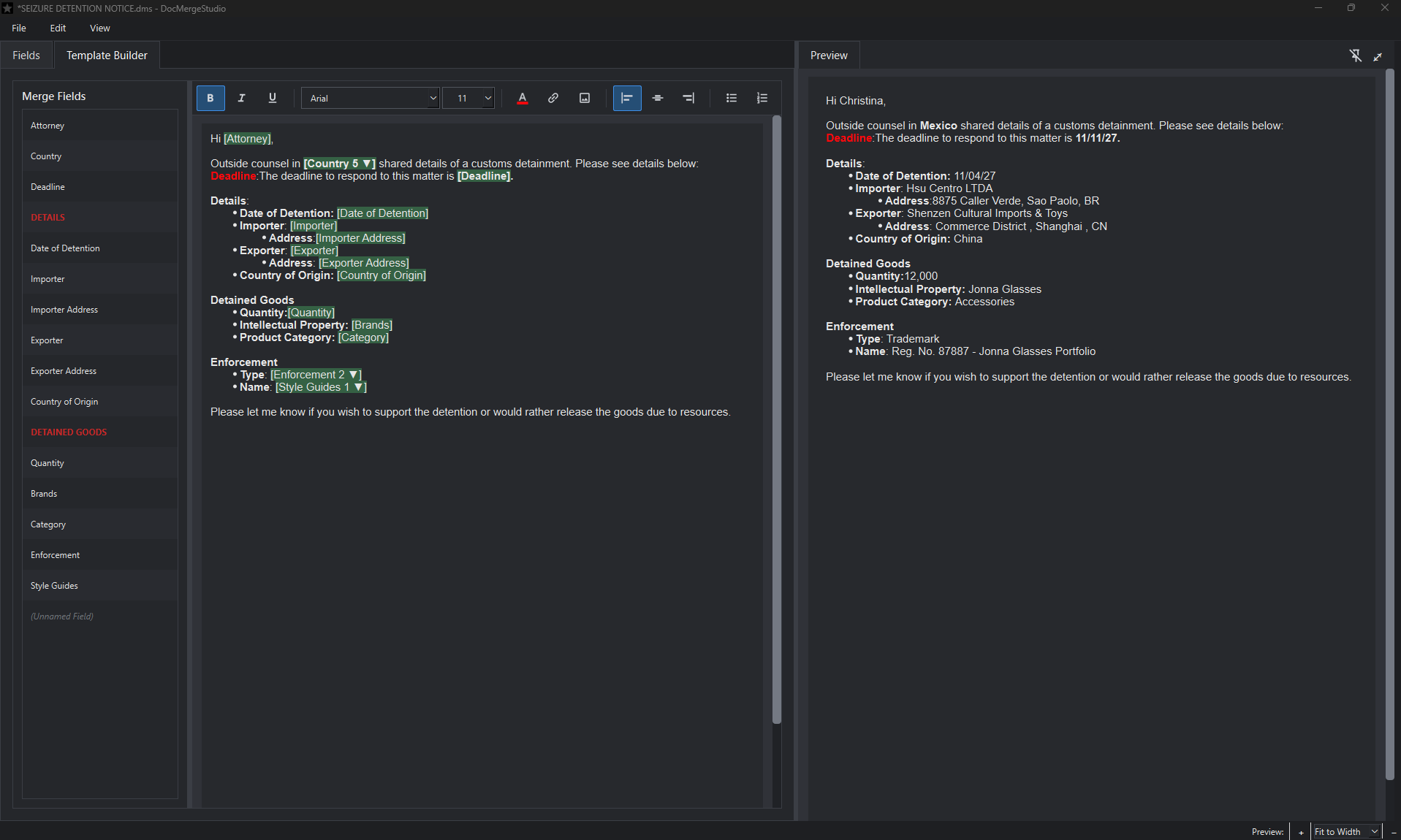
03 / LIVE PREVIEW
See the completed document with your field values in place before creating the final file.
04 / FINISH AND REUSE
Go from a populated template to a document you can edit, share, or use in your existing workflow.
Export an editable document when more revisions or collaboration are needed.
WORD DOCUMENTProduce a portable version suited to reviewing and distributing finalized content.
PDF DOCUMENTTake formatted output into HTML-compatible communication and documentation workflows.
HTML DOCUMENTSAVE YOUR PROGRESS
Save a Doc Merge Studio project with its fields and template, then reopen it the next time the same workflow comes around. No need to rebuild the structure from scratch.
DOCUMENTS MADE SIMPLER
Doc Merge Studio is a Windows desktop application with a 14-day free trial and a $29.99 annual subscription. The public installer and live checkout links will be added before launch.